

Turning a Bluetooth Caliper into a FreeCAD Input Device

When I spotted a used Sylvac S_Cal EVO caliper on eBay for €90, I jumped on it. Swiss-made precision instruments don’t usually fall into hobby budgets, but here was my chance: a Bluetooth-enabled digital caliper that normally costs 3-4× as much. I thought I was buying a better measuring tool. I didn’t realize I was buying a new FreeCAD input device.
I’ve developed a Python library, sylvac-measure, that can read measurements from the S_Cal EVO over Bluetooth.
Using that library, I created a FreeCAD addon called InstrumentInput which allows you to click on any dimension field in FreeCAD, take a measurement with the caliper, and have the value appear instantly in the field with proper units.
This eliminates the need for manual transcription, reduces errors, and creates a seamless workflow between physical measurement and digital modeling.
Take a look at my video below to see it in action.
The Precision Problem
Section titled “The Precision Problem”My 3D printing workflow had a weak link: measuring physical parts with an analog caliper, then manually typing values into FreeCAD. Trying to to read the number, type it in, hope I didn’t transpose digits. Transcription errors and broken focus every time.
The eBay Score
Section titled “The eBay Score”Sylvac makes professional-grade Swiss measuring instruments — carbon fiber construction, sealed electronics, micrometer resolution. Also expensive, typically well beyond hobbyist budgets.
I found a used S_Cal EVO for €90 on eBay (“used with wear marks but fully functional”—perfect). What made it special: Bluetooth Low Energy (BLE) connectivity.
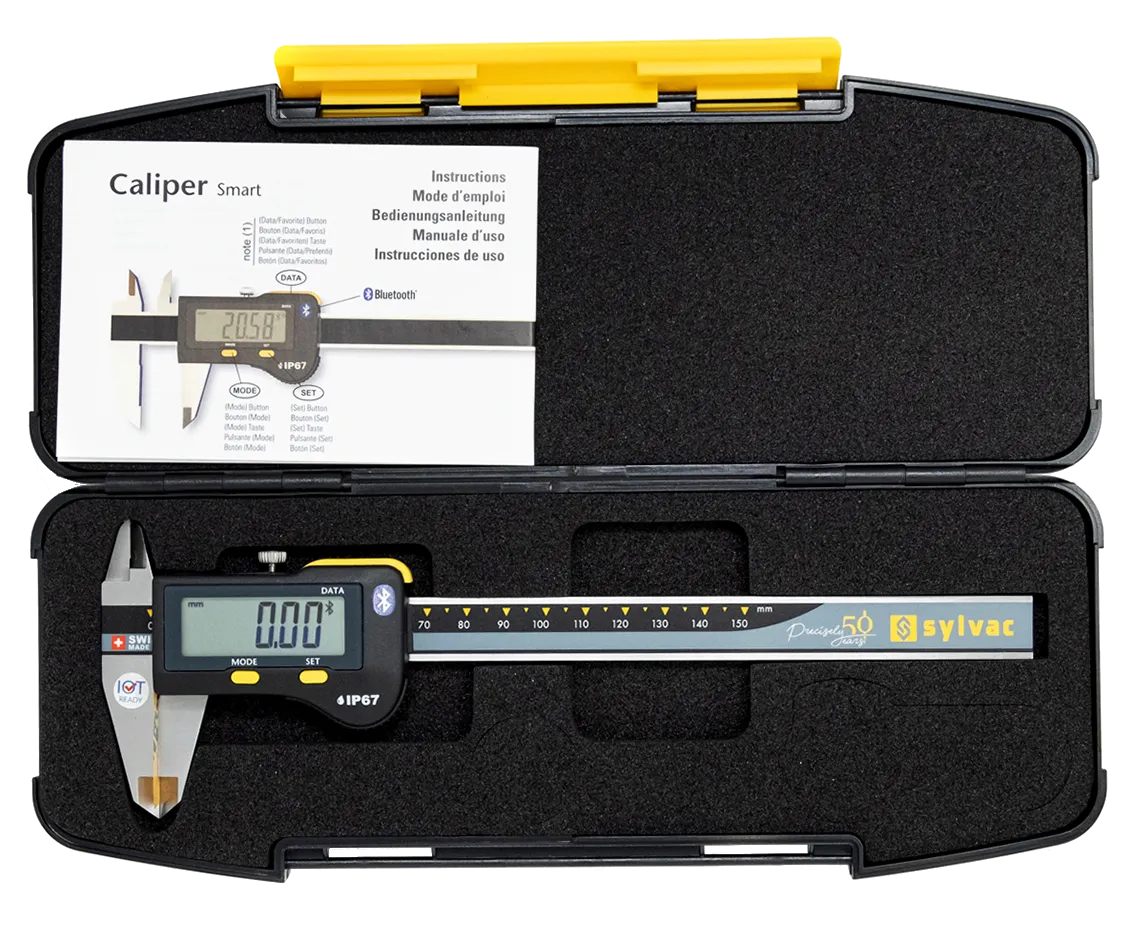
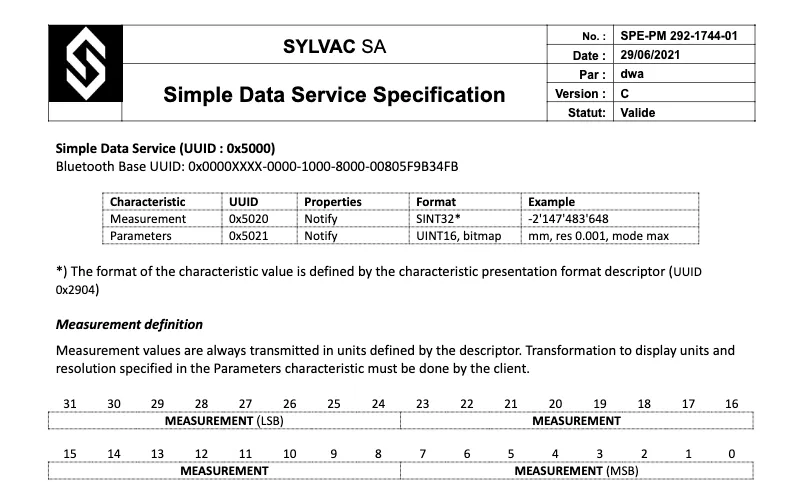
Most digital calipers have an LCD readout and maybe a data port for wired connections. The S_Cal EVO speaks Bluetooth using standard GATT profiles — specifically Sylvac’s SDS (Simple Data Service) and SMS (Sylvac Metrology Service). This meant I could potentially read measurements wirelessly from any device.
Sylvac takes a refreshingly open approach to their Bluetooth implementation. Unlike many manufacturers who lock their devices behind proprietary apps and undocumented protocols, Sylvac publishes comprehensive developer tools and documentation on GitHub.
Their repository includes:
- Complete GATT profile specifications (SDS and SMS)
- Communication libraries for C++/C# (only shipped as binary blobs, but with header files and documentation)
- Multiple SDK implementations (Bluegiga API, native APIs)
- Detailed protocol documentation
This transparency signals a manufacturer that values ecosystem interoperability over vendor lock-in. They understand that professional users need to integrate measurement instruments into diverse workflows, and they’ve made that possible.
Why Not Just Use HID Mode?
Section titled “Why Not Just Use HID Mode?”Like most Bluetooth-enabled calipers, Sylvac devices support HID (Human Interface Device) mode, which emulates a virtual keyboard. Press the data button on the caliper, and it types the measurement value wherever your cursor is—simple and works with any application.
But HID has limitations:
- Button-only operation: Values are sent only when you press the physical button. We can’t monitor measurements in real-time as you adjust the caliper.
- Slow input: Emulated keyboard input is slower than direct data transfer.
- No configuration: You can’t query device status, change settings, or capture measurements automatically.
For basic data entry, HID works fine. But I wanted more: continuous streaming for live updates in FreeCAD, faster data transfer, and the ability to capture measurements both automatically and on button press.
Still, their official tools are Windows-focused and designed for industrial applications. I wanted something simpler: a lightweight Python library that could integrate directly into my workflow, on my platform.
Building on Open Standards: sylvac-measure
Section titled “Building on Open Standards: sylvac-measure”Thanks to Sylvac’s documentation, implementing a Python library was straightforward rather than requiring true reverse engineering.
The S_Cal EVO exposes two custom GATT services:
- SDS (Simple Data Service) provides real-time measurement streaming:
- SMS (Sylvac Metrology Service) allows device configuration via ASCII commands
Additionally, the standard Battery Service (BAS) exposes battery level.
I built /stv0g/sylvac-python , a cross-platform (macOS, Windows, Linux) package using Python’s Bleak library for BLE communication.
Unlike HID mode, sylvac-measure supports:
- Continuous streaming: Real-time measurement updates as you adjust the caliper
- Button-triggered capture: Capture specific measurements on demand
- Device configuration: Query and modify caliper settings (units, resolution, etc.)
- Fast data transfer: Direct GATT communication, no keyboard emulation delays
$ sylvac list726B9552-D5B0-4BE6-C974-C8BCA6C2F2C9 SY295$ sylvac infoDevice Address: 726B9552-D5B0-4BE6-C974-C8BCA6C2F2C9MAC Address: F2C7F909635EManufacturer: SylvacModel number: 810.15Serial number: 00000000Firmware revision: r4.02Hardware revision: nRF8001DID: SY295Number: TESTVersion: r4.02 -04 17.05.19Battery state: OKBattery level: 100%Unit: mmResolution: 1e-05Mode: normalResolution mode: RES3Preset value: —Display status: liveEconomy mode: FalseLast calibration: —Next calibration: 2026-05-01Favorites: FCT0Current value: -12.35 mm$ sylvac measure --follow13.33 mm11.31 mm8.25 mm6.88 mm5.39 mm4.98 mm4.77 mm$ sylvac measure --button11.84 mm$ sylvac config getnumber: 1unit: mmmode: normalresolution_mode: RES3preset: 0.0display: liveeco: Falselast_calibration: Nonenext_calibration: 2026-05-01favorites: FCT0keyboard_lock: Falsestandby_timeout: 10sylvac config set unit mmsylvac config set standby-timeout 4The Python API is equally straightforward:
import asyncioimport sylvac
async def main():    device = await sylvac.scan(timeout=10)    async with sylvac.Device(device.address) as dev:        async for measurement in dev.measurements():            print(f"{measurement.format()} {measurement.unit}")
asyncio.run(main())
The package is available on PyPI as sylvac-measure and the source is hosted on /stv0g/sylvac-python .
Bridging to FreeCAD: The InstrumentInput Addon
Section titled “Bridging to FreeCAD: The InstrumentInput Addon”
Having a Python library that could read measurements from the caliper was useful, but it didn’t solve my original problem: getting those measurements into FreeCAD with zero friction.
I wanted:
- No workbench switching: The addon should work everywhere in FreeCAD
- Smart focus tracking: Measure what I’m currently editing
- Quantity-aware: Handle unit conversions automatically
- Seamless workflow: Click a dimension field, measure, value appears
I built /stv0g/InstrumentInput as a FreeCAD addon based on sylvac-measure.
The Workflow in Action
Section titled “The Workflow in Action”- Open a FreeCAD sketch or feature dialog
- Click a dimension field (e.g., “Length”)
- Measure a physical part with the caliper
- The value appears instantly in the field, with proper units.
- The live 3D view updates in real-time to reflect the new dimension.
- Press the caliper’s data button → value is committed and focus advances to the next field
No typing, no transcription errors, no context switching.
Installation
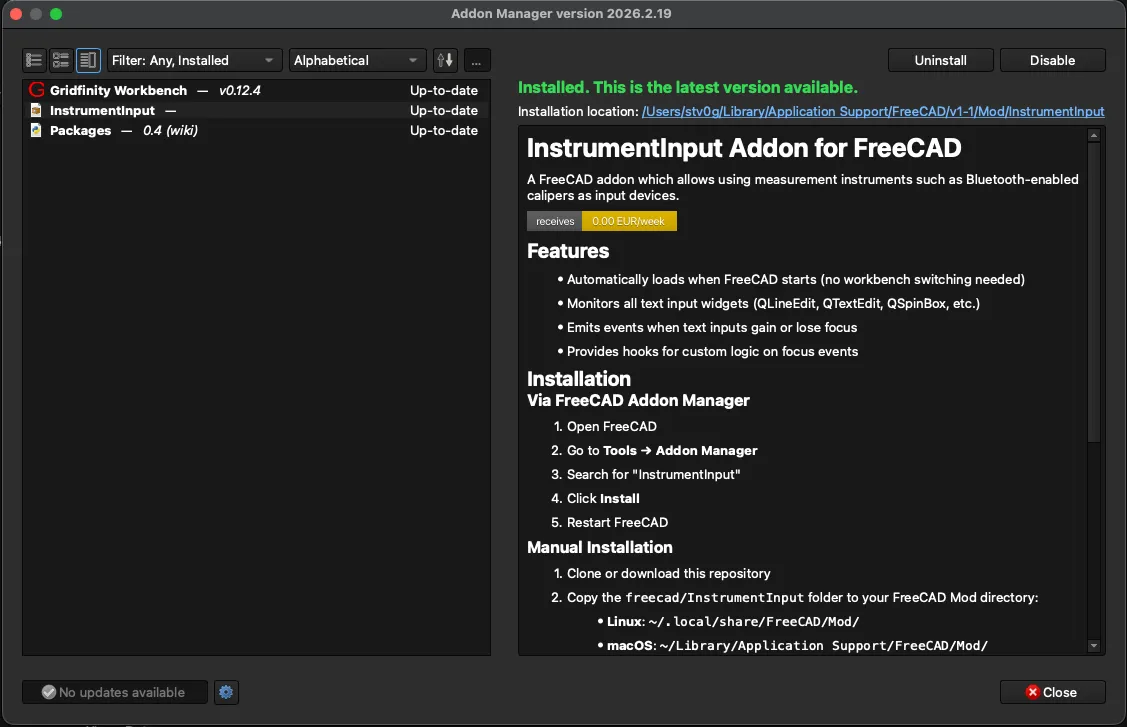
Section titled “Installation”The addon is available through FreeCAD’s Addon Manager:
- Open FreeCAD
- Go to Tools → Addon Manager
- Search for “InstrumentInput”
- Click Install
- Restart FreeCAD
The addon automatically starts monitoring input focus when FreeCAD launches.
What’s Next
Section titled “What’s Next”I’m currently using this setup daily for modeling mechanical parts, and it’s transformed my workflow. Potential improvements I’m considering:
- Support for more instrument types: Testing with other Sylvac devices, adding device-specific features
- Integration with other CAD tools: OpenSCAD, Blender, or any application with scriptable input
- Multi-instrument workflows: Using multiple measuring tools simultaneously
If you have a Sylvac BLE-enabled instrument, I’d love to hear about your experience. Please open an issue to report device compatibility or suggest features.
- /stv0g/sylvac-python — Python package for Sylvac BLE instruments
- /stv0g/InstrumentInput — FreeCAD addon for instrument input
- sylvac-measure on PyPI
- Sylvac Bluetooth Developer Tools
If you find these projects useful, consider sponsoring their development on Liberapay.