Skip to content

Blog

Encrypted credentials for Amazon AWS command line client
In this quick post I will show you how to use the password manager “password-store1 to securely store your credentials used by the Amazon Webservices command line client.
AWS CLI Logo
AWS CLI Logo.

The installation for Mac and Linux system is fairly easy:

Terminal window
pip install awscli

The credentials are stored as key-value pairs inside a PGP-encrypted file. Every time you call the AWS CLI tool, your keys will be decrypted and directly passed to the aws tool.

Use pass to add your keys in the store:

Terminal window
pass edit providers/aws

An editor opens. Use the following format:

User: stv0g
Access-Key: AKB3ASJGBS3GOMXK6KPSQ
Secret-Key: vAAABn/PMAksd235gAs/FSshhr42dg2D4EY3

Add the following snippet to your ~/.bashrc:

Terminal window
function aws {
local PASS=$(pass providers/aws)
local AWS=$(which aws)
# Start original aws executable with short-lived keys
AWS_ACCESS_KEY_ID=$(sed -En 's/^Access-Key: (.*)/\1/p' <<< "$PASS") \
AWS_SECRET_ACCESS_KEY=$(sed -En 's/^Secret-Key: (.*)/\1/p' <<< "$PASS") $AWS $@
}

Then use the cli tool aws as usual:

Terminal window
aws iam list-access-keys { "AccessKeyMetadata": [ { "UserName": "stv0g", ...`
  1. I covered password-store already a few times earlier: Use YubiKey and Password-store for Ansible credentials, Workshop: Security Token.

Use Yubikey and Password-store for Ansible credentials

I spent some time over the last months to improve the security of servers and passwords. In doing so, I started to orchestrate my servers using a configuration management tool called Ansible. This allows me to spin-up fresh servers in a few seconds and to get rid of year-old, polluted and insecure system images.

Ansible loves Yubico
Ansible loves Yubico.

My ‘single password for everything’ has been replaced by a new password policy which enforces individual passwords for every single service. This was easier than I previously expected:

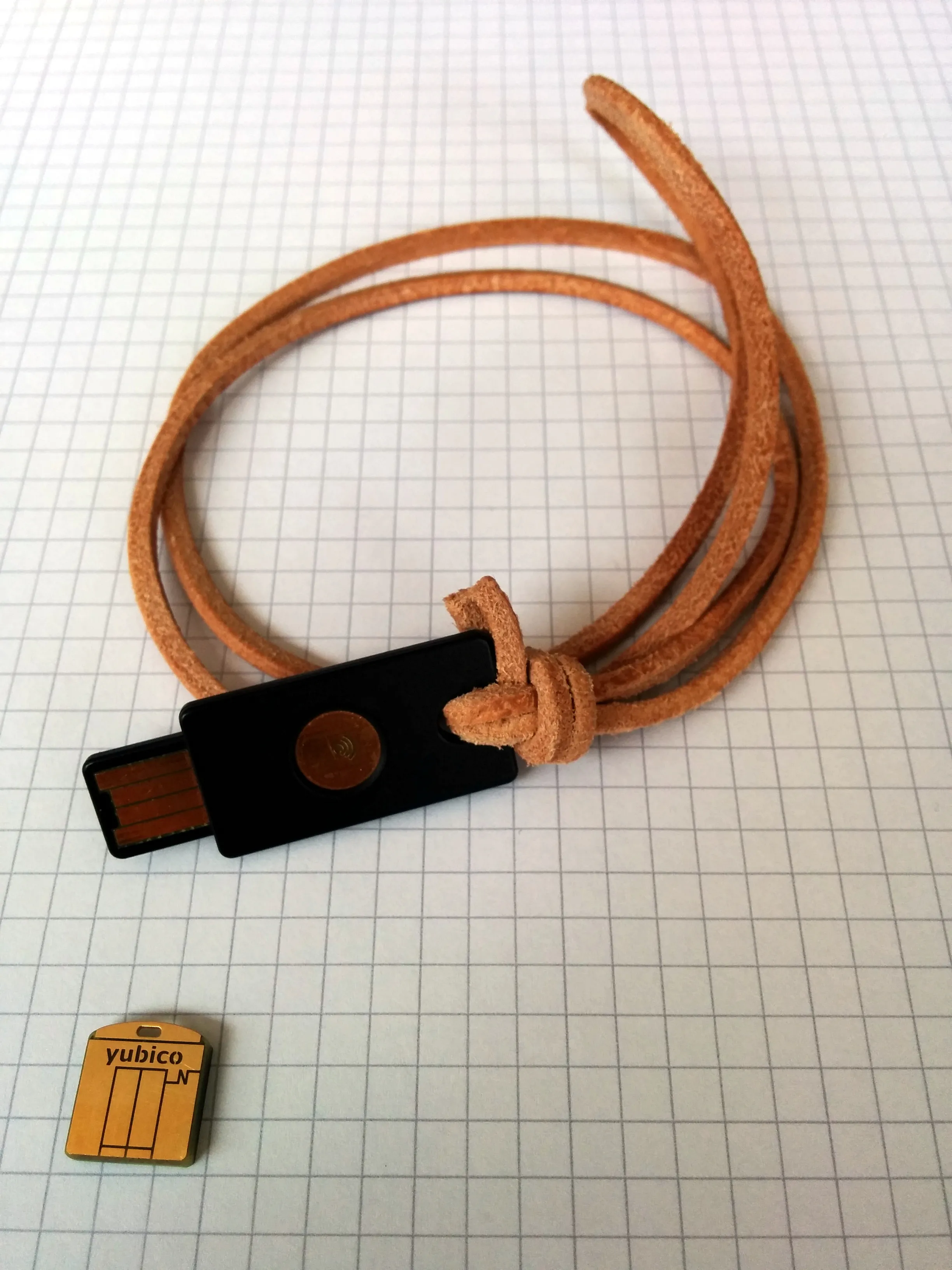
To unlock the ‘paranoid’ level, I additionally purchased a Yubikey Neo token to handle the decryption of my login credentials in tamper-proof hardware. ‘pass’ is just a small shell script to glue several existing Unix tools together: Bash, pwgen, Git, xclip & GnuPG (obeying the Unix philosophy). The passwords are stored in simple text files which are encrypted by PGP and stored in a directory structure which is managed in a Git repository.

Yubikey Neo und Neo-n
Yubikey Neo und Neo-n.

There are already a tons of tutorials which present the tools I describes above. I do not want to repeat all of it. So, this post is dedicated to solve some smaller issues I encountered.

Workshop: Security Token

Der Open Source Arbeitskreis (OSAK) der Fachschaft FSMPI, veranstaltet nun zum zweiten Mal eine Crypto Party auf der sich Interessierte über Verschlüsselung und verwandte Themen informieren können.

Ich möchte hier die Gelegenheit nutzen um etwas Werbung für diese Veranstaltung zu machen. Genaue Infos findet Ihr unten im Flyer.

Dieses Mal wird es auch einen kleinen Workshop von mir geben:

„I know none of my passwords“

Ich werde in circa 20 Min eine kurze Übersicht über Security Tokens wie beispielsweise den Yubikey oder die OpenPGP Smartcard geben. Dabei wird der Fokus auf verschiedenen Anwendungsszenarien wie One-Time-Passwords, Logins, sowie E-Mail Verschlüsselung liegen.

Update: Hier sind die Vortragsfolien und das Handout:

Download:Präsentation
Download:Handout
Cryptoparty im Sommersemester 2015
Cryptoparty im Sommersemester 2015.

Casting between Qt and OpenCV primitives

OpenCV & QT
OpenCV & QT.

As a follow-up to the previous post, I’d like to present some code which I think might be helpful for other Qt / OpenCV projects as well.

This code was written for Pastie. Pastie is a piece of software I wrote as part my image processing seminar. It makes use of the well known libraries:

  • Qt for the graphical user interface
  • OpenCV for image processing and computer vision

I wrote a C++ header file to facilitate the co-operation of those two libraries. This file enables the conversion / casting of OpenCV and Qt types e.g.:

#include <QImage>
#include <cv/core.hpp>
QImage qimg("filename.png");
cv::Mat cvimg = toCv(qimg);

The source code is available at Codeberg: /stv0g/snippets/c/qcv_cast.h .

The following conversions are supported:

QImagecv::Mat
QTransformcv::Mat
QPointcv::Point2i
QPointFcv::Point2f
QRectcv::Rect2i
QRectFcv::Rect2f
QSizecv::Size

You can find some examples in the real code here: /stv0g/pastie/filters/pattern.cpp and here /stv0g/pastie/cast.h .

Seminar: Camera-based PCB Analysis for Solder Paste Dispensing

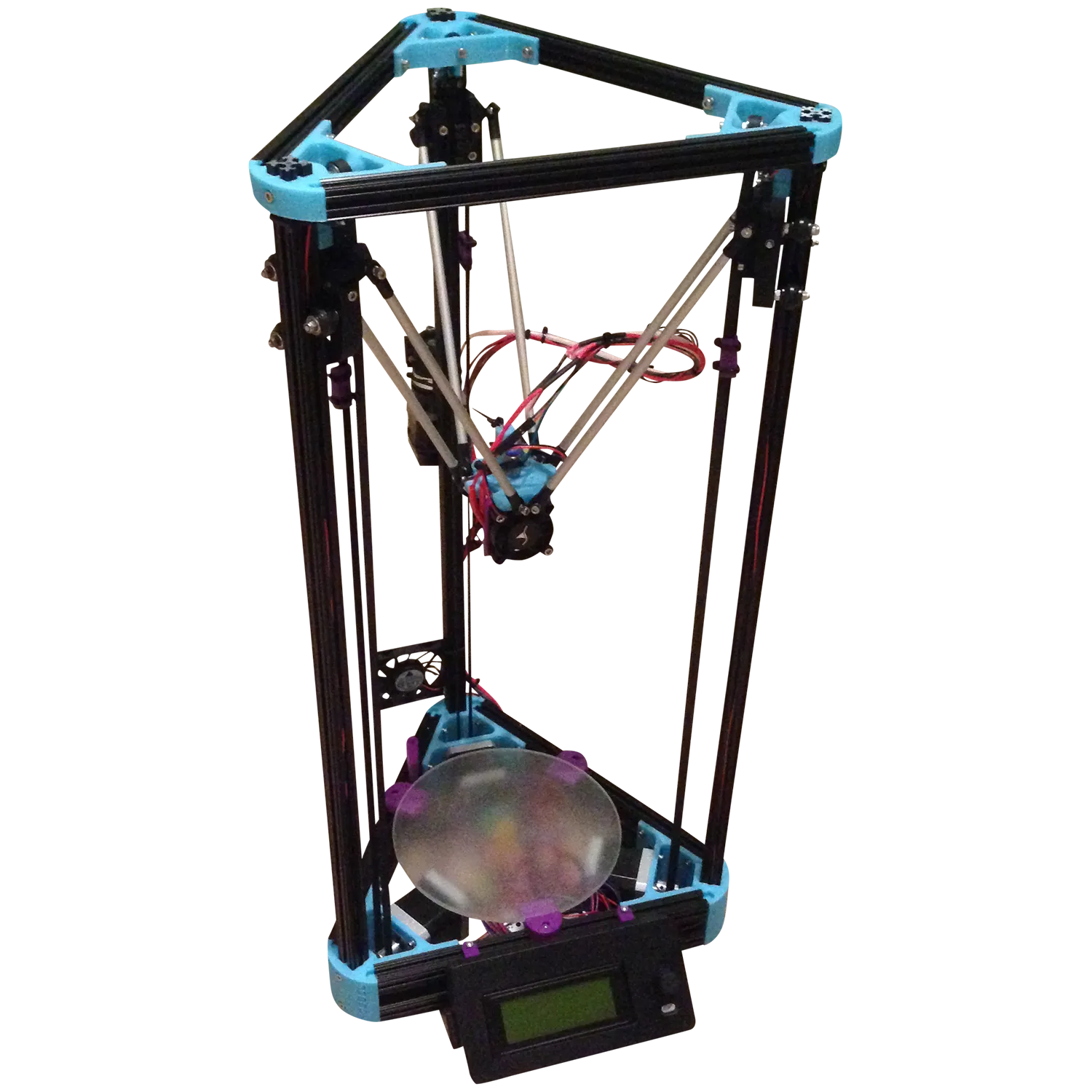
Mini Kossel 3D Printer
Mini Kossel 3D Printer.

The lectures during my last semester were largely focused on digital image processing. Combining this with the inspiration for 3D printing, I gathered through my trip though South Korea, resulted in the following seminar paper. Seminars are a compulsory part of our curriculum which I like due the self-contained work and the ability to pick an individual topic.

Over the past year, I’ve built my own Kossel 3D printer. The Mini Kossel is based on a novel parallel delta kinematic which was developed by Johann C. Rocholl, a Google engineer from Germany.

This paper is targeting the automation of solder paste dispensing onto printed circuit boards by using computer vision and RepRap robots.

Download:Presentation Slides
Download:Full Paper
Source Code